
Instant Bank SMS
Confirmation Web & Device
Say goodbye to constant phone interruptions. PayConfirm runs silently on your business phone, reading incoming bank transfer SMS alerts and uploading them instantly to a secure web dashboard for your sales floor.
The Problem: "Phone Tag"
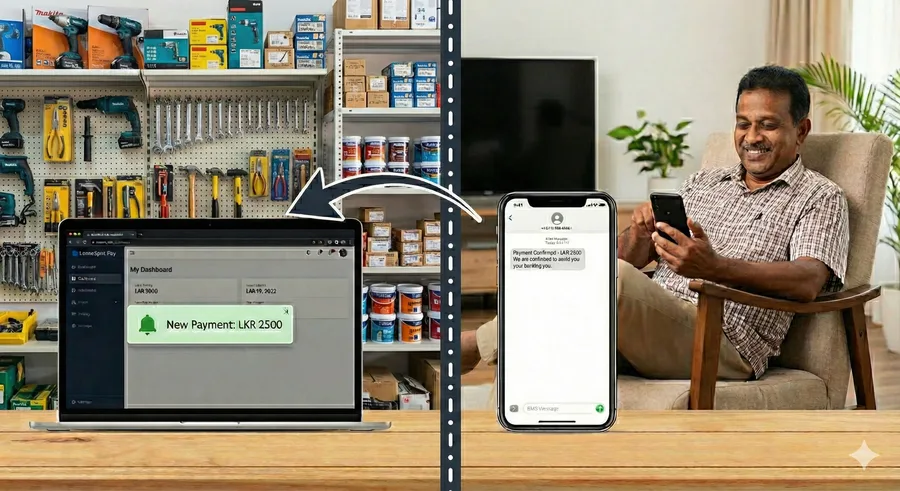
As a business owner, only your personal or official phone receives the bank transaction SMS alerts. Whenever a client buys something and does a bank transfer, your floor staff is forced to pause their work, call or message you, and wait for your manual verification. It slows down customer service, interrupts your meetings, and hurts conversions.
- ⚠️ Constant daily interruptions
- ⚠️ Slow checkout speeds for customers
- ⚠️ Vulnerable to fake payment screenshot scams
The Solution: PayConfirm Sync
PayConfirm runs securely as a background process on your alert-receiving phone. Within 3 seconds of a payment SMS landing, the system reads and processes the bank details, uploading it securely to the cloud. Your sales staff can instantly verify, search, and audit payments via their desktop web dashboard without needing physical access to your phone.
- ⚡ Instant 3-second sync speed
- 🔒 Regulated, search-only staff accounts
- 📱 Robust background performance & offline resync
How PayConfirm Works
Automating your payment validation cycle in three simple stages.
Client Pays & Bank Sends SMS
The customer scans your QR code or executes a direct bank transfer. The bank immediately fires a standard notification SMS to your primary alert phone.
PayConfirm App Instantly Syncs
The silent PayConfirm background app identifies the bank sender ID, deciphers the transaction name/amount, and uploads it securely to the cloud.
Staff Validates on Web Dashboard
The payment populates on your checkout counter screen in real-time. Staff logs in, filters by deposit details, confirms the credit, and releases the goods.
Web Dashboard & Counter Visualizer
A close look at PayConfirm's supervisor console and front desk arrangement.
🖥️ Desktop Supervisor Console
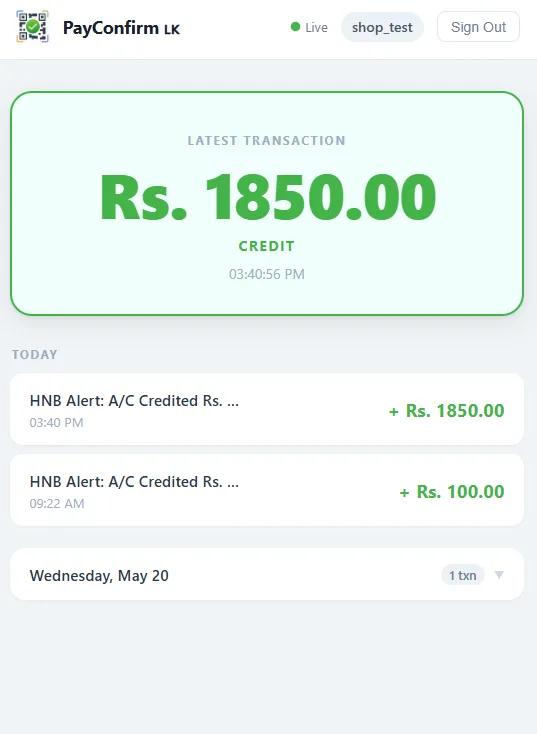
Review detailed analytics, audit daily transactions, manage sales agent accounts, and perform advanced searching across Sampath, Seylan, Commercial, HNB, Seylan Bank, and other major bank alert notifications.
🏪 Counter QR Setup
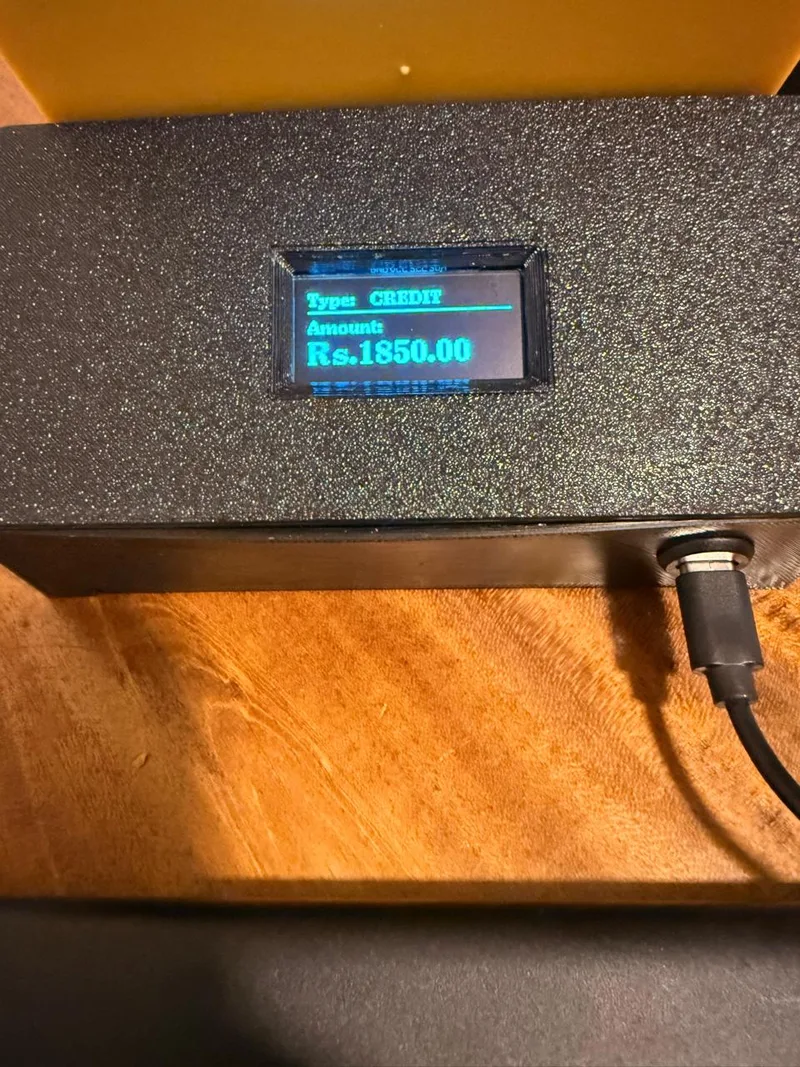
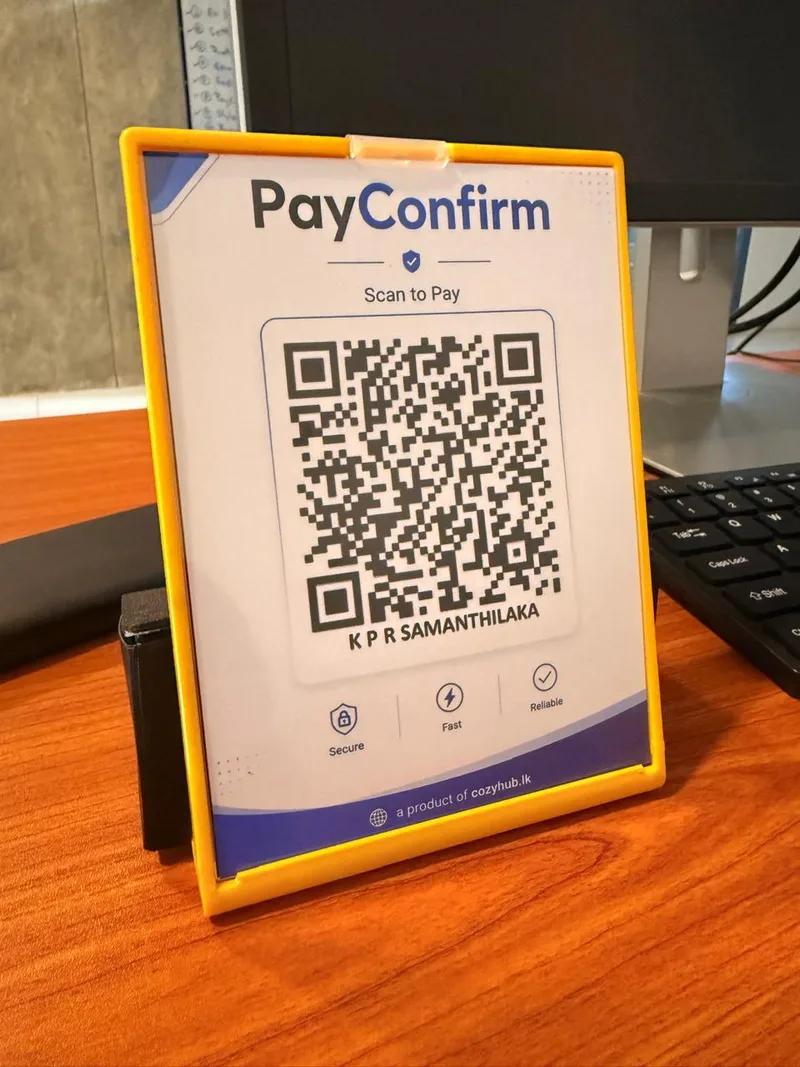
Display customized QR codes right on your cash counter or checkout stand. Customers scan, transfer in seconds, and checkout instantly.
Why Choose PayConfirm?
Engineered for security, efficiency, and reliability.
100% Safe
No banking login credentials or passwords are required. PayConfirm only listens strictly to designated bank payment SMS senders.
Real-Time Sync
Vibrant, rapid web-socket push ensures incoming deposits show up on the sales team's web portal within 3 seconds of the alert.
Low Battery usage
Engineered as a lightweight native Android service, it consumes less than 1% battery per day and remains active silently in the background.
Offline Resilience
No internet on the alert phone? The app stores all transaction SMS offline and automatically pushes the backlog once internet connectivity resumes.

Empower Your Sales floor Today
Automate your payment verification, eliminate sales bottlenecks, and secure bank alerts completely. Get in touch with our team to configure PayConfirm for your store.